1166666
01/22/2026
56213213
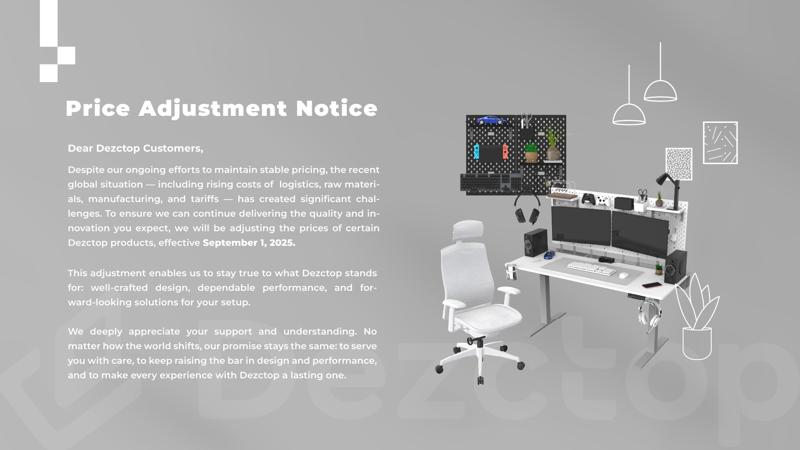
Table of Contents
As remote work continues to reshape careers, nearly one in five employees now works from home. More and more people are trading the commute for the flexibility of working remotely, and many are realizing it’s time to build a home office that truly feels like their own.
A well-designed workspace doesn’t just help you stay productive. It also keeps you comfortable, and makes it easier to switch smoothly between “home mode” and “work mode.” Below, we’ve put together 16 practical elements to help you level up your home office setup.
16 Essentials for an Efficient Home Office Setup
People getting ready to work remotely usually put real thought into their home office, keeping it organized while balancing comfort with efficiency. It’s easy to get caught up in aesthetics or the latest gadgets, but a truly productive workspace is built on the basics. When those essentials are in place, every detail can support the way you actually work.
1. Workspace

To work efficiently from home, start by claiming a space that’s truly yours. The biggest benefit is fewer distractions. Ideally, it should be separated from areas where you relax or socialize, so you have a clear boundary between work and life. That separation also makes it easier to “switch on” and get into the right headspace when you sit down.
This doesn’t have to be a whole room. An unused small bedroom works great, but even a quiet corner can do the job. If you want a clearer visual divide, try adding a small room divider, or use a low bookshelf to separate your work zone from your living space. If you have the option, placing your desk near a window is worth it, during short breaks, you can look outside, rest your eyes, and reset. (Learn More: Feng Shui Guide to Office Desk Placement and Setup)
2. Desks

Selecting the right desk is crucial for a more comfortable work-from-home experience. A quality desk forms the base of your workspace, enhancing both your efficiency and comfort all day long. When choosing a desk, consider its dimensions, height, and ergonomic design. A large surface area helps you stay organized and work more effectively. Additionally, a height-adjustable desk is ideal, allowing you to alternate between sitting and standing without interrupting your workflow. Over time, that simple option can help reduce back discomfort and lower some of the risks that come with sitting all day. (Learn More: What’s the best desk height?)
You can take it one step further with cable management and customizable storage. Keeping cords under control and giving everything a “home” helps your workspace stay clean and uncluttered, which looks better and usually makes it easier to focus.
Recommended Desks for Work-from-home Professionals:
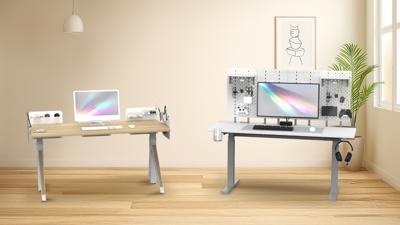
Dezctop Standing Desk: Designed for gamers and multitaskers, this desk offers the flexibility of electric height adjustment, allowing smooth transitions between sitting and standing. Its spacious design accommodates not only dual 27-inch monitors but a 27 to 34-inch monitor for M sized monitor mount within weight limits, ensuring an optimal setup. The desk also features a multifunctional D-Board back panel with a pegboard design, enabling customizable organization for your work supplies and collectibles, making it easy to personalize your workspace.
MICKE Corner Workstation: Space-saving desk ideal for smaller home office setups.
Realspace® Magellan 59"W Manager's Computer Desk: A spacious desk with ample storage for a clutter-free workspace.
FlexiSpot EN1 Standing Desk: Provides a budget-friendly option with motorized height adjustment, sturdy build, and preset height settings for easy switching between sitting and standing.
Fully Jarvis Bamboo Standing Desk: Offers eco-friendly materials and motorized height adjustability with four presets, making it ideal for personalized comfort.
Learn More:
3. Chairs

A lot of people underestimate how much a chair matters, but the right one can make long workdays feel noticeably easier. I learned that the hard way, after using a chair that didn’t fit me, I ended up with some pretty intense neck and shoulder stiffness.
When you’re choosing a chair, don’t just look for basic seat-height adjustment. Pay attention to whether the backrest fits your body and offers solid lumbar support. Adjustable armrests also make a big difference, helping you find a relaxed position and reducing the habit of shrugging your shoulders all day, which is a common reason neck and shoulder tightness builds up over time.
Recommended Chairs for Work-from-home Professionals:
Dezctop Ergonomic Office Chair: A versatile chair that combines ergonomic features with a sleek design, offering adjustable height, lumbar support, and armrests for personalized comfort.
Primy Office Ergonomic Desk Chair: Includes adjustable lumbar support and height for customized comfort.
Serta - Hannah Upholstered Executive Office Chair: A plush, comfortable option with built-in support.
Learn more: Our Buying Guide about Ergonomic Chairs
4. Computers

Many people don’t hesitate to invest in a work computer, because it’s basically their main tool for making a living. What matters most is performance you can rely on and solid software compatibility. Start by thinking about what you actually do day to day, and how much processing power your tasks require.
For typical office work, a Windows laptop or desktop from a well-known brand like Dell, Lenovo, or Acer is often the most practical choice, since it tends to play nicely with common business software and company systems. If your work involves graphic design, video editing, or other resource-heavy tasks, it can be worth stepping up to a higher-end machine, such as a MacBook Pro.
Whatever you choose, look for an SSD for faster boot and load times, enough RAM to keep multitasking smooth, and a screen size that feels comfortable for long sessions.
Recommended Computers for Work-from-Home Professionals:
HP Dragonfly Pro: This laptop is equipped with an AMD Ryzen 7 736U CPU, 16GB of RAM, and a 14-inch crystal-clear display, making it an excellent choice for professionals needing a reliable and powerful machine for extended work hours.
Asus Zenbook 14: Offers fantastic value with its OLED screen, delivering deep blacks and vibrant colors. It’s a great choice for business tasks, balancing performance with affordability, and providing excellent battery life.
MacBook Air M4: Known for its portability and silent operation, the MacBook Air M3 combines impressive battery life with sufficient processing power, making it ideal for those who need a lightweight yet capable machine.
Lenovo Flex 5i Chromebook: This budget-friendly option is perfect for users who primarily work in a web browser. It offers speed, flexibility, and a versatile design that easily transitions between laptop and tablet modes, making it highly adaptable for various tasks.
5. Monitor

Your monitor greatly influences how efficiently you can work. A bigger screen provides more space to have several applications open simultaneously, making multitasking easier. Additionally, a 4K resolution enhances the clarity and sharpness of text and images.
However, bigger isn’t always better. Your budget and the type of tasks you perform are important factors. If you spend many hours coding or reading documents, using two monitors might be a better option than one large display. A common approach is to rotate one monitor vertically, allowing you to read lengthy pages comfortably without frequent scrolling.
For better comfort, consider using a monitor arm, which lets you adjust the height and angle for an ergonomic setup. Features or accessories that filter blue light can also help minimize eye strain, especially later in the day.
When positioning your monitor, try to have the top edge of the screen at or just below eye level. Keep the monitor at least 20 inches (around 50 cm) away to maintain a natural and neutral posture for your neck and spine.
Recommended Monitors for Work-from-Home Professionals:
ASUS VA24EHE 24-Inch Full HD Monitor: A budget-friendly option that delivers sharp visuals and high brightness, making it ideal for everyday tasks and improving productivity.
BenQ GW2780 27-Inch IPS Full HD Monitor: A top choice for creative professionals, offering near-perfect color accuracy and specialized modes for design work. Its ergonomic stand allows for height adjustment and portrait mode.
Dell UltraSharp U3223QZ 31.5" 4K UHD LCD Monitor: A premium ultrawide monitor with a 34-inch curved display and 175-Hz refresh rate, perfect for immersive experiences and smooth multitasking.
6. Monitor Mounts & Stands

A good monitor arm should move smoothly, lock in place securely, and stay put even after hours of use. One of the biggest benefits is that it frees up desk space while letting you fine-tune your screen height and viewing angle, which can take pressure off your neck and back.
And you’re not limited to a single-arm setup. There are also dual- and triple-monitor arms on the market, so you can choose a configuration that matches how you work.
Recommended Monitor Mounts and Stands for Work-from-Home Professionals:
Dezctop D-Board Monitor Mount: This reliable monitor mount supports monitors up to 32 inches and offers versatile adjustments including tilt, swivel, and pivot for optimal viewing angles. It easily attaches to the D-Board without the need for wall drilling, making it a convenient and secure solution for enhancing monitor placement.
Workstream by Monoprice Single Monitor Arm: An affordable option that supports screens between 15 and 34 inches, up to 20 pounds. It offers excellent adjustability and built-in cable management, making it ideal for space-conscious setups.
Ergotron LX Monitor Arm: Known for its durability and superior range of motion, this VESA-compatible arm is perfect for larger monitors, accommodating displays up to 34 inches and 25 pounds without wobbling.
Fully Jarvis Monitor Arm: A versatile and reliable mount that supports up to 20 pounds. It includes built-in cable management and a five-year warranty, ensuring long-term usability.
Vivo Dual Monitor Desk Mount: A budget-friendly option for dual monitor setups, holding screens from 13 to 30 inches. It’s sturdy, easy to install, and features cable management clips to keep cords out of sight.
Oakywood Dual Monitor Desk Shelf: For those preferring a stand over an arm mount, this stylish wooden shelf can hold two monitors, providing additional storage space underneath for a clean and organized desk.
7. Keyboard

Have you ever paid attention to the keyboard you use every day? Membrane keyboards tend to be slim, simple, and quiet, while mechanical keyboards usually offer clearer tactile feedback that can make typing feel more satisfying over long sessions. There isn’t a single “best” option here. It really comes down to your habits and what feels right for you. A membrane keyboard isn’t automatically unreliable, and mechanical keyboards aren’t all loud or heavy either. Some switches have a shorter travel distance, like silver switches, if you prefer a faster, lighter feel.
A good keyboard can improve both efficiency and comfort by giving you a more natural typing angle. If you can, consider an ergonomic design that helps your wrists and shoulders stay relaxed, so it’s easier to settle into work. And if wireless is an option, it’s often a great upgrade, since it reduces cable clutter and keeps your workspace looking clean and organized.
Recommended Keyboards for Work-from-Home Professionals:
Razer Pro Type Ultra Wireless Mechanical Keyboard: Features ergonomic backlit keys, nearly silent keystrokes, and a detachable wrist rest. Offers up to 214 hours of battery life, making it perfect for extended use.
Logitech MX Mechanical Mini Wireless Keyboard: Compact, wireless, with options for different mechanical switches (Clicky, Linear, Tactile). Offers long battery life and a stable connection via USB-A dongle or Bluetooth.
Keychron Q1 Pro Wireless Bluetooth Mechanical Keyboard: Versatile, with options for wired or wireless use. Features customizable RGB backlighting, hot-swappable switches, and durable PBT keycaps.
Logitech Pop Keys Wireless Mechanical Keyboard: Aesthetic design with typewriter-like keys, connects via Bluetooth or USB receiver, and customizable emoji keys.
Keychron K3 Pro Ultra-Slim Wireless Mechanical Keyboard: Ultra-slim, wireless, with tactile clicky keys, RGB lighting, and customizable options through Via software. Ideal for those who prefer a low-profile design.
8. Mouse

Your mouse is another piece of gear worth paying attention to, because it directly affects how comfortable you feel throughout the day. An ergonomic mouse that fits your hand well can noticeably reduce wrist fatigue and help prevent long-term strain.
When you’re choosing one, the sensor is a key factor. You want tracking that stays accurate and responsive across different surfaces, so the cursor feels predictable and precise. Shape matters too, your mouse should match your hand size and your grip style, since that changes how your wrist and fingers carry the load. It’s also worth noting that some mice are designed specifically for right- or left-handed use. And if you rely on shortcuts, extra programmable buttons can speed up common actions and make your workflow more efficient.
Recommended Mice for Work-from-Home Professionals:
Logitech MX Master 3S: Ideal for extended work sessions, this mouse features an ergonomic design that cradles your palm, customizable buttons, and hyper-fast scrolling, making it perfect for minimizing wrist strain.
Microsoft Sculpt Comfort Mouse: This budget-friendly option offers a curved design that supports a neutral hand position, making it comfortable for both right and left-handed users. It’s a great choice for those seeking comfort without breaking the bank.
SteelSeries Prime Wireless Mouse: A lightweight and responsive mouse, perfect for those who need precision and comfort. It also features customizable lighting and a long battery life, making it a reliable work companion.
Logitech Lift Vertical Ergonomic Wireless Mouse: Designed to lift your palm away from the desk, this mouse helps to reduce the risk of carpal tunnel syndrome and provides a more natural wrist position for prolonged use.
9. Speakers
How can speakers help create a more comfortable work-from-home setup? We suggest choosing a speaker with clear, balanced sound, something that doesn’t push the bass too hard. Clean audio makes online meetings easier to follow, and it also means music won’t feel overwhelming or distracting while you’re trying to focus. If you want an even cleaner desk, a wireless speaker is a nice option since it cuts down on cable clutter.
One more thing to keep in mind: great speakers can absolutely improve your work environment, but if you prefer a quiet space, they can just as easily become another source of distraction.
Recommended Speakers for Work-from-Home Professionals:
Creative Pebble Pro Minimalist 2.0 USB-C Computer Speakers: These minimalist speakers offer a clean design and compact size, making them perfect for small desks while delivering clear and balanced sound.
Logitech Z407 2.1 Bluetooth Computer Speaker System: Featuring wireless control and Bluetooth connectivity, this speaker system is ideal for those who need versatile audio options and enjoy a more powerful bass.
Pioneer DJ DM-50D-BT Desktop Monitor Speakers: Designed for music enthusiasts, these Bluetooth-enabled speakers provide rich sound and deep bass, suitable for both work and entertainment.
Presonus Eris E3.5 Studio Monitor Speakers: These speakers are compact but powerful, offering excellent sound quality at an affordable price, perfect for detailed audio tasks or general use.
Audioengine A1 Corded or Wireless Speakers: Known for their high-quality audio, these speakers are compact yet capable of producing loud, well-balanced sound, making them a reliable choice for any home office setup.
10. Headphones

For anyone who’s on video calls all day or needs deep focus to get work done, a good pair of headphones can make a night-and-day difference. When you’re choosing one, look at sound quality, all-day comfort, battery life (for wireless models), and how well the noise cancellation performs. Solid noise-canceling headphones can block out everyday background sounds, like family conversations, a barking dog, or traffic outside.
If your ears are sensitive, over-ear headphones are often more comfortable and can give you a wider, more open soundstage. In-ear earbuds, on the other hand, usually provide stronger passive noise isolation. Which one is “best” really comes down to what feels comfortable and fits your routine.
Recommended Headphones for Work-from-Home Professionals:
Sony WH-1000XM5 Wireless Noise-Canceling Headphones: Renowned for their top-tier noise-canceling capabilities, these wireless headphones offer exceptional sound quality, comfort, and a 30-hour battery life, making them ideal for all-day wear.
SteelSeries Arctis Nova Pro Wireless Noise-Canceling Headphones: Perfect for those who value comfort during long listening sessions, these headphones deliver superb sound quality and come with a convenient swappable battery system to avoid downtime.
Beats Fit Pro Wireless Earbuds: These versatile earbuds offer excellent sound, effective noise cancellation, and a secure fit, making them suitable for both work and workout sessions. They are particularly well-integrated with Apple devices but also work seamlessly with Android.
Sennheiser HD 6XX Corded Headphones: Ideal for those who need to remain aware of their surroundings, these open-back headphones provide great sound quality while allowing ambient noise to filter through, ensuring you stay connected to the outside world.
Audio-Technica ATH-M20X Corded Headphones: Affordable yet delivering surprisingly good sound, these headphones are a reliable choice for those who prefer a simple, wired solution without compromising on audio quality.
11. Microphones

A high-quality microphone can make video calls sound clearer and more professional. Your laptop’s built-in mic may be “good enough” in a pinch, but a dedicated microphone usually improves clarity in a way people notice right away, especially in meetings where details matter.
When choosing a mic, focus on sound quality, ease of use, and compatibility with your setup. It’s also worth paying attention to the pickup pattern. For working from home, a cardioid mic is often a better fit than the common “picks up everything” style, because it focuses on your voice and helps reduce background noise like keyboard clicks, a computer fan, and other room sounds.
Recommended Microphones for Work-from-Home Professionals:
Blue Snowball Ice USB Mic: An affordable and reliable option, perfect for those looking to upgrade from built-in microphones without breaking the bank. It offers excellent sound quality and is easy to set up.
Blue Yeti Nano USB Mic: A compact yet powerful microphone that provides clear voice transmission, making it ideal for online meetings and presentations. It supports multiple pickup patterns, including cardioid and omnidirectional.
HyperX Quadcast S USB Mic: Known for its exceptional sound quality and ease of use, this microphone is perfect for professionals who want a more advanced setup. It features a touch-sensitive mute button and connects via USB-C for modern laptops.
SteelSeries Alias USB Mic: Designed with streamers in mind, this microphone offers clear, professional audio and features a touch-sensitive mute button. It’s a bit pricey, but often available at a discount.
Jlab Talk Go USB Mic: A good beginner option that is both budget-friendly and effective for improving audio quality in video calls.
12. Webcam

If you’re on video calls often, a good webcam can make a real difference. The two core specs to look at are resolution and frame rate—1080p is a solid baseline for a clear image, and a higher frame rate helps the video look smoother and more natural.
Features like autofocus, strong low-light performance, and a wider field of view can also noticeably improve call quality, especially if your lighting or space isn’t perfect. And while some webcams include a built-in mic, we still recommend using a separate microphone if you can. Even with a great camera, muffled audio can ruin the experience—so a dedicated mic is a smart upgrade.
Recommended Webcams for Work-from-Home Professionals:
Logitech Brio 4K Webcam: A top-tier option that delivers stunning 4K resolution and HDR support, ensuring exceptional image clarity and vibrant colors. Ideal for professionals who require the best visual quality in their virtual meetings.
Razer Kiyo X Full HD Webcam: A budget-friendly choice that offers sharp 1080p video quality with excellent automatic white balance and color saturation. It's easy to mount on your laptop or monitor, making it perfect for everyday use.
Insta360 Link PTZ Webcam: This advanced webcam features 4K resolution and pan-tilt-zoom capabilities, making it ideal for dynamic presentations. With automated face tracking and gesture control, it’s perfect for professionals who need flexibility and superior video quality.
13. Wifi Connection & VPNs
Have you ever had this happen? You’re halfway through a video call and your screen suddenly freezes. It might be a funny way to “escape” a pointless meeting, but you definitely don’t want lag when the meeting actually matters.
If your work depends heavily on a stable connection frequent video calls, large file uploads, cloud tools, or streaming, then internet speed becomes part of your productivity setup. For teams that rely on bandwidth all day, aiming for roughly 300–500 Mbps (or higher) can help keep day-to-day tasks running smoothly, especially when multiple people are online at once. One founder I spoke to even said upgrading their network gear and moving to 1 Gbps was the best investment they made all year, simply because everything became more reliable.
On the security side, a VPN (virtual private network) encrypts your online activity and helps protect sensitive data. It’s especially useful when you’re handling confidential information or working on public Wi-Fi. Pairing a quality router with a reputable VPN service can go a long way toward making remote work both secure and frustration-free.
Recommended Routers/ Extenders for Work-from-Home Professionals:
TP-Link Deco X20 Wi-Fi 6 Mesh System: Provides comprehensive home coverage with easy setup and maintenance. It includes three nodes for broad Wi-Fi coverage and two Ethernet ports per router, making it ideal for larger homes or offices.
TP-Link Archer AX55 Wi-Fi Router: A high-performance router supporting Wi-Fi 6, offering stable and speedy connectivity across a 1,600-square-foot area. It features four Gigabit Ethernet LAN ports and a user-friendly app for network management.
Google Nest WiFi Pro Router: A top-tier Wi-Fi 6E router that delivers exceptional speed and coverage, with support for speeds up to twice as fast as Wi-Fi 6. It covers up to 6,600 square feet with a customizable mesh system, and automatically optimizes network performance for reliable, high-speed connectivity.
14. Lighting

In a Cornell University study led by Dr. Alan Hedge, employees working in spaces with more natural daylight reported 51% less eye strain, 63% fewer headaches, and 56% less drowsiness. Those changes can make it easier to stay focused and keep your energy steady throughout the day.
Natural light also supports vitamin D production, since UV rays trigger vitamin D synthesis in the skin.
If your space doesn’t get enough daylight, a desk lamp can fill the gap. Look for one with adjustable brightness and color temperature, so you can match the light to different tasks and reduce eye fatigue. The right lamp improves visibility and makes your workspace feel more comfortable to spend time in.
Recommended Lighting Solutions for Work-from-Home Professionals:
Lume Cube LED Edge Desk Light: A high-performance desk light with adjustable brightness and color temperature settings. Its clamp design ensures it fits seamlessly on your desk, making it ideal for focused work and video calls.
BenQ ScreenBar Computer LED Lamp: This lamp attaches to the top of your monitor, providing uniform, glare-free lighting with adjustable brightness and color temperature. It's designed to enhance visibility without taking up desk space.
Humanscale Nova Task Light: Known for its smooth, adjustable arms and integrated motion sensor, this premium task light offers customizable brightness levels. It’s perfect for professionals seeking both functionality and style in their workspace.
BenQ WiT e-Reading Desk Lamp: Features adjustable brightness and color temperature, tailored to reduce eye strain during extended work sessions. Its design supports various lighting needs, making it a versatile choice for home offices.
15. Cable Management Tools

Keeping a home office clean and organized usually takes a solid cable-management setup, especially when you’re dealing with everyday cords, chargers, and power adapters. Investing in the right solutions helps cut down visual clutter, improves efficiency, and can also make your space safer by reducing trip hazards.
Core tools include cable trays and organizers that route cables neatly, bundle them together, and hide them out of sight. If you’re using cable ties, avoid sharply bending or pinching the cords, loop the cable into a gentle coil first, then secure it with the tie. It’s a safer approach and helps reduce the risk of damaging the wire over time.
For a cleaner, more modern look, magnetic cable holders offer a sleek and adjustable option that fits well with contemporary setups. You can also use cable covers to guide cables safely along the floor, and secure power strips or extension cords in place for a more stable layout. If you’re charging multiple devices, cable holders with flexible storage and a multi-port charger can make the whole system feel much more convenient and efficient.
Recommended Cable Management Tool for Work-from-Home Professionals:
Dezctop Magnetic Cable Holder: This cable holder efficiently organizes wires with strong magnetic force, preventing tangles. Its durable aluminum build ensures longevity, while a sleek design and smooth edges offer a safe and comfortable user experience.
Dezctop USB Type-C 7-in-1 Hub: This versatile hub consolidates multiple connections into one, offering USB ports, a 4-in-1 memory card reader, and an audio jack, all with high-speed data transfer up to 10 Gbps. Its adjustable clamp ensures stable placement, while plug-and-play functionality allows for easy setup.
Blue Key World Cable Clips (6 Pack): Effective for organizing and managing cables, these clips keep cords neatly in place and reduce desk clutter.
16. Desk Accessories
One of the easiest ways to keep your desk under control is to use a few well-chosen desk accessories. Most of us end up with a mix of everyday items on the surface, such as headphones, a water bottle, pens, sticky notes, a desk calendar, and more.
Even something as simple as raising your monitor with a stand can help you maintain a healthier eye level. Plus, it frees up space underneath for small storage, like documents or a notebook. Take a quick inventory of what you actually use during the day. When everything has a designated spot, your desk stays tidy and your whole setup naturally looks more polished and professional.
Recommended Desk Accessories for Home Office Professionals:
Dezctop Water-Resistant Mouse Pad: This pad combines sleek aesthetics with a versatile size, offering a smooth glide surface for both gaming and office use. Its water-resistant design ensures durability and a pleasant touch experience, enhancing your overall computing setup.
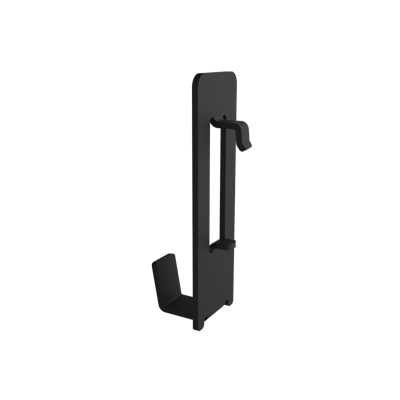
Dezctop Headset Holder: Effectively keeps your headphones organized and easily accessible while preventing cord clutter and keeping them off the desk. Its practical design ensures your headset remains within reach, enhancing both the functionality and tidiness of your desk setup.
Dezctop Cup Holder: Features a foldable, high-strength design that securely holds your beverage away from your workspace to prevent spills. Its durable construction ensures it withstands daily use while keeping your drink easily accessible.
Satechi 2-in-1 Headphone Stand with Wireless Charger: Combines a stylish headphone stand with a wireless charger, supporting MagSafe and providing a sleek solution for device charging and organization.
Oakywood Dual Laptop Vertical Stand: This compact stand helps save desk space by securely holding two laptops with a steel base and felt-lined interior to prevent scratches.
Satechi Eco-Leather Deskmate: A large, spill-proof desk mat that covers a full-size keyboard and mouse area, offering a smooth surface and easy cleaning.
Key Tips to Create an Efficient Home Office for Work-from-Home Professionals

Working from home offers flexibility but also requires a strategic approach to maintain productivity and well-being. By setting up a dedicated workspace, establishing a daily routine, and incorporating ergonomic tools, you can optimize your remote work experience and stay focused on your goals. Here are some key tips to help you create an efficient and comfortable home office environment.
Treat Your Home Office Like a Real Office: Establish a clear boundary between work and home life by dedicating a specific area solely to work. Keep distractions like pets and TV out of this space to maintain focus.
Create a Daily Schedule: Structure your day by setting a schedule. Prioritize tasks based on your most productive hours, ensuring that important work gets done when you're at your best. Utilize task management tools like Trello or Todoist to stay organized.
Maximize Productivity with the Pomodoro Technique: Break your work into focused intervals of 25 minutes, followed by a short 5-minute break. After three or four sessions, take a longer break to recharge. This method helps maintain concentration and energy throughout the day.
Personalize and Optimize Your Workspace: Design your workspace to be both functional and inspiring. Consider the layout, lighting, and storage needs to create a space that supports your work processes. Incorporate personal touches that make the area feel welcoming and motivating.
Invest in Ergonomic Tools: Use an ergonomic mouse, mechanical keyboard, and wrist rests to prevent strain during long hours of work. These tools can improve comfort and reduce the risk of repetitive strain injuries.
Position Your Desk for Natural Light: If possible, place your desk near a window to benefit from natural light, which can boost mood and productivity. If natural light isn’t available, invest in a quality lamp with adjustable settings to reduce eye strain.
By implementing these tips, you can create a productive and comfortable work-from-home environment that supports both your professional and personal well-being.
Frequently Asked Questions about Home Office Setup
How can I design a budget-friendly home office?
One cost-effective way to enhance your home office is by creating an inspiration wall. Use an empty wall to display motivating photos, quotes, and illustrations. This not only boosts your workspace’s visual appeal but also provides a great background for video meetings.
What are the must-have items for a home office setup?
Start by choosing a quiet, distraction-free area for your home office. Essential items include a desk, chair, and, if space permits, shelving for storage and a printer. Incorporating personal touches like family photos, an area rug, or plants can make the space more comfortable and inviting.
How should I arrange my home office for optimal productivity?
The layout of your home office should align with your workflow and preferences. If space allows, place your desk in the center of the room with storage or a feature wall behind it. Positioning the desk near a window can offer natural light, which is beneficial for focus. Ensure easy access to electrical outlets, and leave enough space around the desk to avoid a cramped feeling, especially if additional seating or furniture is included.
Creating Your Ideal Home Office
As we wrap up our journey through the top home office setup ideas and essential components, it’s evident that crafting a workspace that blends functionality with comfort is crucial for maximizing productivity and well-being. From ergonomic furniture to cutting-edge tech essentials, each piece contributes to building an environment tailored to both your professional needs and personal style.
Key Components for Your Home Office:
Tech Essentials: Laptops, PCs, monitors, keyboard and mouse.
Ergonomic Furniture:** Desks and chairs designed for comfort and health.
Audio & Visual Enhancements:** Webcams, microphones, and speakers for clear communication.
Connectivity & Power: Multi-port hubs, cables, chargers and wifi router
Storage Solutions: External hard drives and cloud storage for data security.
Lighting: Desk lamps.
At Dezctop, we offer a range of products that seamlessly integrate into your home office, combining functionality with aesthetic appeal. Our commitment to quality and ergonomic design transforms your workspace into a sanctuary of productivity and comfort. By selecting the right essentials and innovative solutions, your home office can evolve into a personalized haven that inspires your best work.
Explore Dezctop’s state-of-the-art ergonomic standing desks, chairs, and accessories that harmonize with our D-Boards, ensuring that your home office is not just a place of work, but a true reflection of you.
Tag
-400.png)
Dezctop